
Use Drawings in US App Info to review available original, replacement, and published drawing sets, listed newest first.
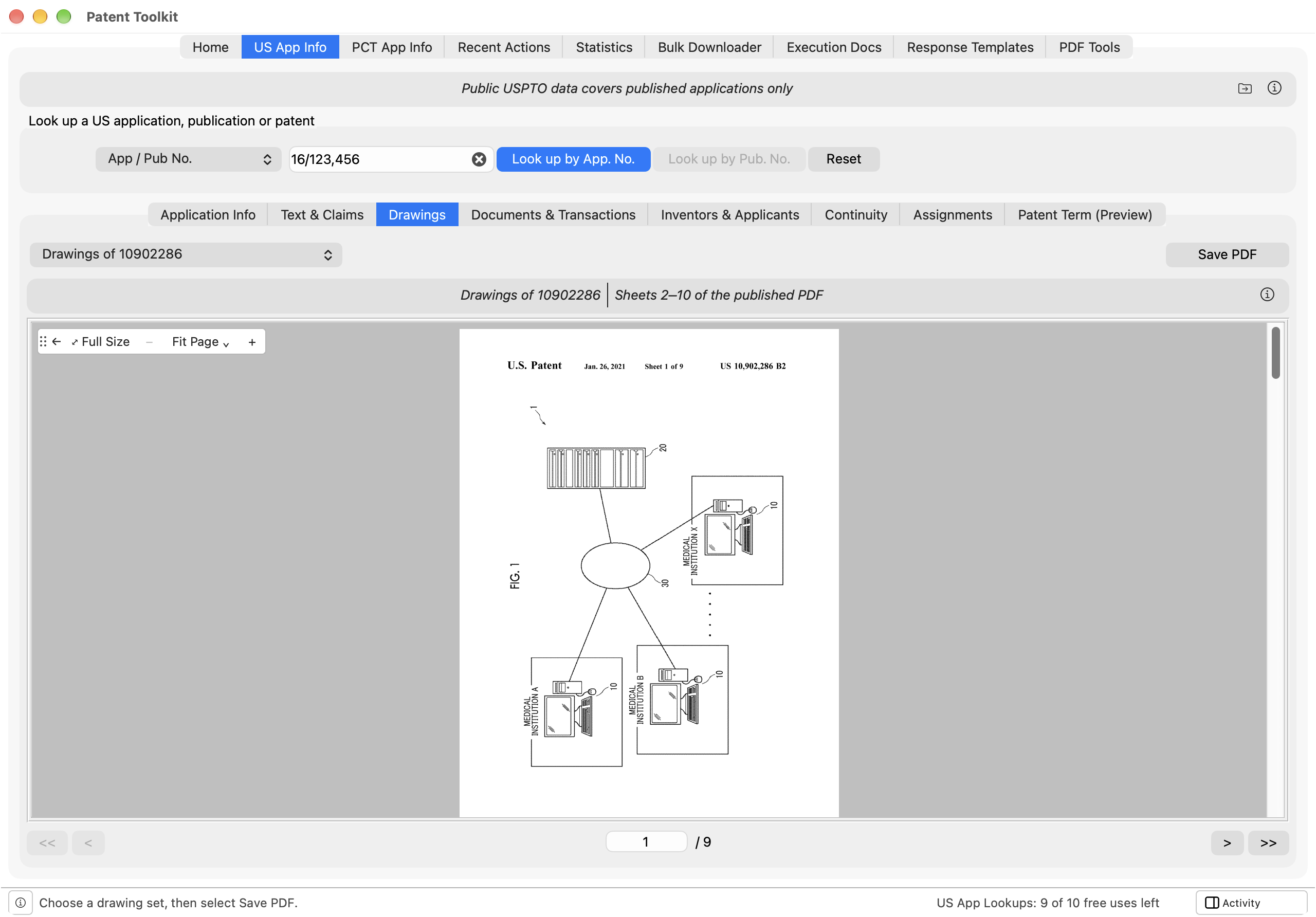
Choosing and saving a set
Open Choose a drawing set and select a document. The app retrieves that set and identifies it above the preview.
A replacement filing may contain only some sheets. Check the set and filing date, and confirm that the figures you need are present. The list does not assemble a single current set from successive replacements.
Use the preview controls to navigate or zoom, and Save PDF to keep the selected sheets.
Sheets from a publication
For a published set, the app locates and extracts the drawing pages from the publication PDF. If it cannot reconcile the sheet stamps with the recorded sheet count, it reports the problem instead of extracting an uncertain range.
Use the publication’s Fetch PDF action in Application Info to retrieve the whole publication. For separately filed drawings, use Documents & Transactions.
Formulas and chemical structures embedded in the specification appear in Text & Claims, rather than as separate drawing sheets.
Troubleshooting
- No drawing sets are listed. The available record may contain no drawings, or the source may not identify them. Check the file wrapper or publication.
- The sheets could not be located. Open the complete publication PDF and locate the drawings there.
- A fetch fails. Check the error message and try the source document from Application Info or Documents & Transactions. A source outage may affect both routes.